
Pandas ufuncs Tips and Tricks

Why are pandas
ufuncsrecommended overapply?
Pandas has an apply function that lets you run arbitrary functions across every value in a column. The catch is that apply is only marginally faster than a plain Python loop. That’s why pandas’ built-in ufuncs are the preferred choice for column preprocessing.ufuncs are special functions built on top of numpy and implemented in C, which is why they’re so fast. Below we introduce several examples of ufuncs: .diff, .shift, .cumsum, .cumcount, .str commands (for strings), and .dt commands (for dates).
Sample Data — Summer Activities
We’ll demonstrate pandas ufuncs using the dataset below (the same person can do different activities at different timestamps):
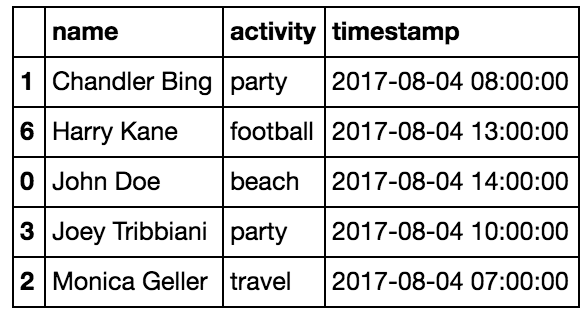
Assume our task is to use this dataset to predict who is the most interesting classmate.
1. String commands
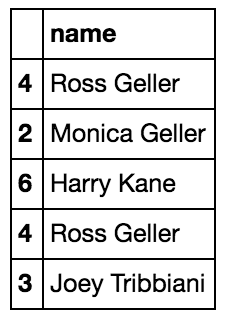 When you need to split strings, string commands (which are ufuncs) are the recommended approach:
df['name'] = df.name.str.split(" ", expand=True)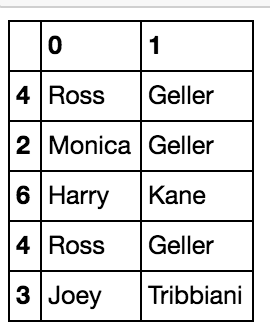 You can also use pandas.Series.str.replace for more efficient string cleaning.
2. Group by and value_counts
With groupby and value_counts, we can easily count how many times each person did each activity:
df.groupby('name')['activity'].value_counts()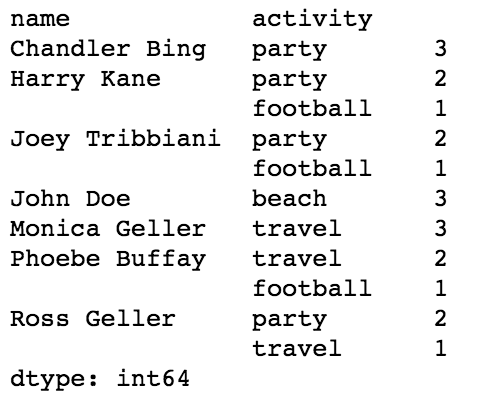 This is called a multi index, which lets us have multiple index levels in a dataframe. In the image, the person’s name is level 0 and the activity is level 1.
3. Unstack
We can also create an activity-count feature per person using unstack, which swaps rows and columns. unstack turns the lowest-level index into columns, so each person’s activity counts become columns. Cells for activities a person didn’t do will contain NaN, which you can then fill in.
df.groupby('name')['activity'].value_counts().unstack().fillna(0)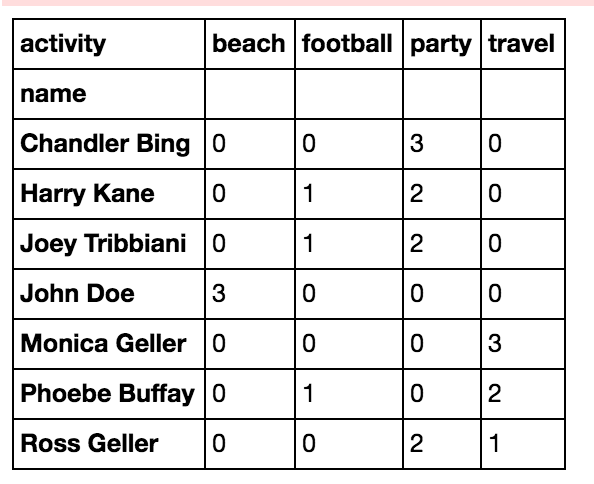
4. groupby, diff, shift, and loc + a great tip for efficiency
Knowing how long each person spent on each activity will definitely help us figure out who the most interesting person is. Who stayed longest at the party? Who stayed longest at the beach?
The most efficient way to compute duration is to first groupby by name, then use diff() to get the time differences:
df = df.sort_values(by=['name','timestamp'])
df['time_diff'] = df.groupby('name')['timestamp'].diff()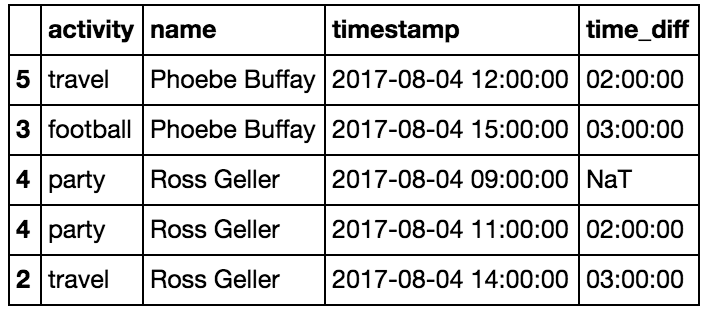 For large datasets, you can skip the
 groupby, just sort the data, drop each person’s irrelevant first row, and call diff directly:
df = df.sort_values(by=['name','timestamp'])
df['time_diff'] = df['timestamp'].diff()
df.loc[df.name != df.name.shift(), 'time_diff'] = None
By the way — .shift moves each row down by one, so df.name != df.name.shift() tells us which rows the name changed at.
And .loc is the preferred way to set values at specific indices for a given column.
Next, convert time_diff to seconds:
df['time_diff'] = df.time_diff.dt.total_seconds()Get each row’s duration:
df['row_duration'] = df.time_diff.shift(-1)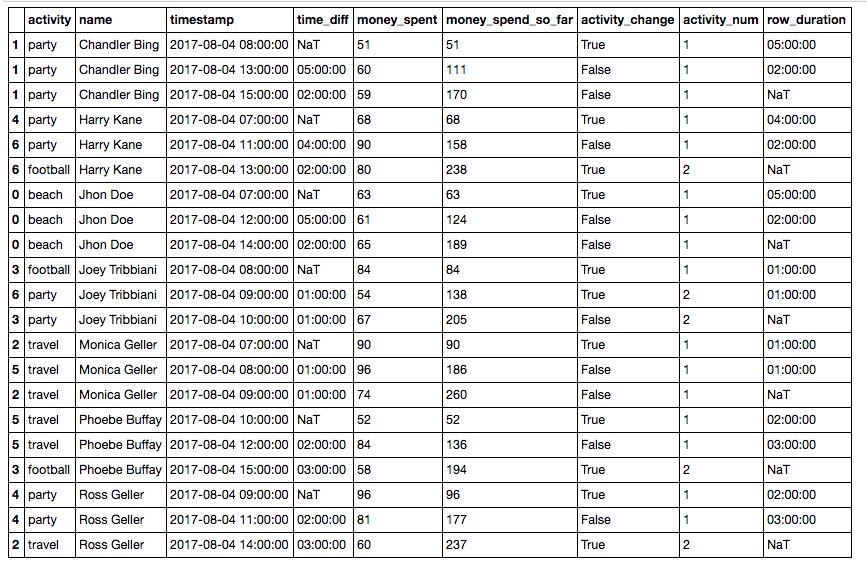
5. Cumcount and Cumsum
cumcount creates a cumulative counter. For example, we can pick out each person’s second activity by groupby('name') and then cumcount (see cumcount docs). Since
cumcount starts from 0, to get each person’s second activity we compare against ==1 (the third activity would be ==2):
df = df.sort_values(by=['name','timestamp'])
df2 = df[df.groupby('name').cumcount()==1]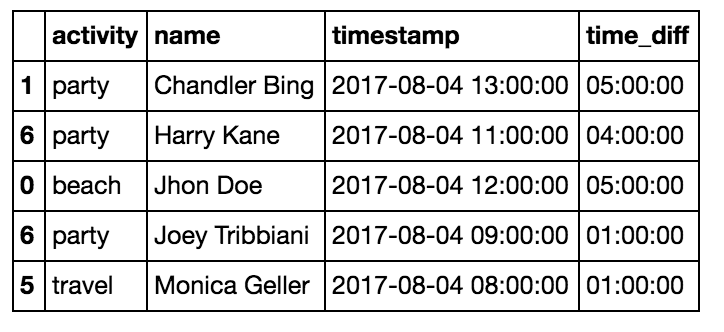
df = df.sort_values(by=['name','timestamp'])
df2 = df[df.groupby('name').cumcount()==2]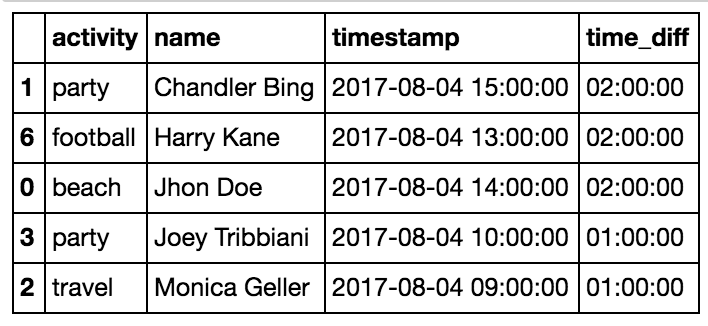
cumsum is simply a running sum over a numeric column. We can use it to accumulate the money each person has spent across activities.
df = df.sort_values(by=['name','timestamp'])
df['money_spent_so_far'] = df.groupby(‘name’)['money_spent'].cumsum()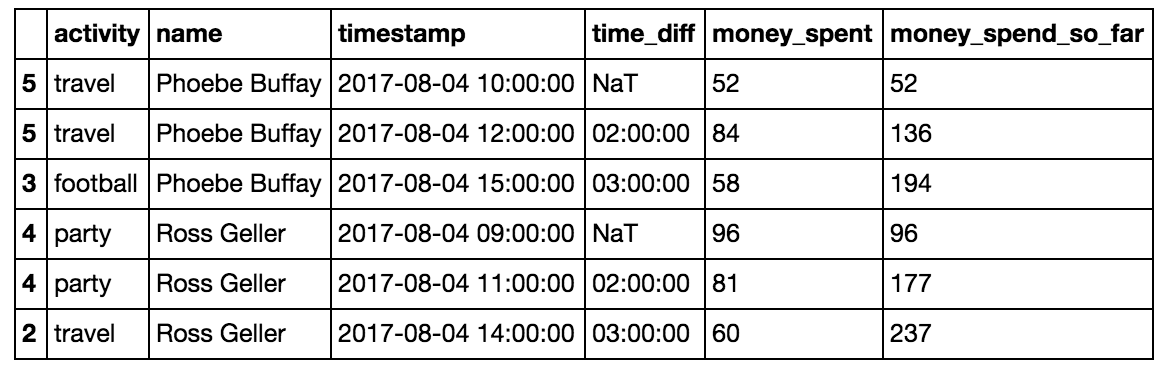
6. groupby, max, min for measuring the duration of activities
Earlier we measured how long each person spent on each activity, but we overlooked that sometimes two consecutive rows are actually the same ongoing activity. To measure the real duration, we need to span from the start to the end of a continuous activity. Here we use .shift and .cumsum to create a new feature activity_change:
df['activity_change'] = (df.activity!=df.activity.shift()) | (df.name!=df.name.shift())Then use .cumsum to count each person’s activity instances:
df['activity_num'] = df.groupby('name')['activity_change'].cumsum()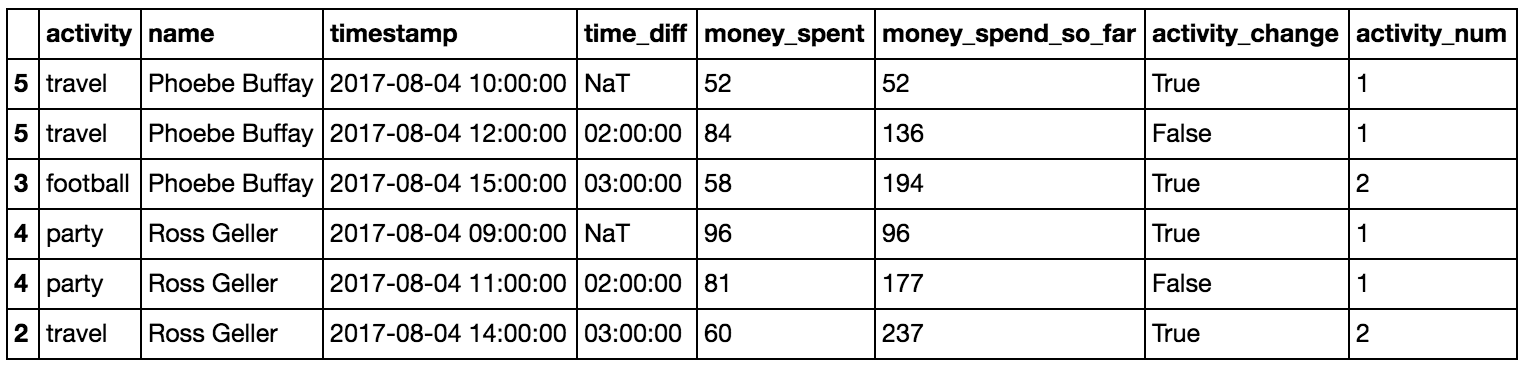 Now we can compute activity durations by grouping on person, activity number, and activity name (the name doesn’t change the grouping but we want it to appear in the result), then summing each row’s activity duration:
activity_duration = df.groupby(['name','activity_num','activity'])['activity_duration'].sum()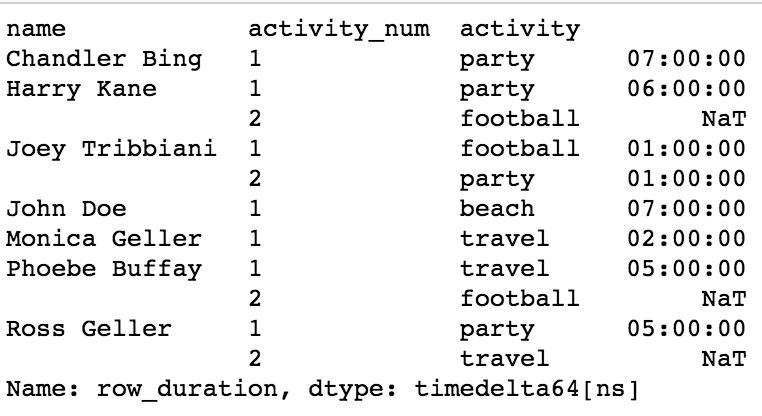 This returns a timedelta-like duration. You can convert it via
 .dt.total_seconds:
activity_duration = activity_duration.dt.total_seconds()Finally, you can take the max/min (or median or mean) of each person’s activity durations:
activity_duration = activity_duration.reset_index().groupby('name').max()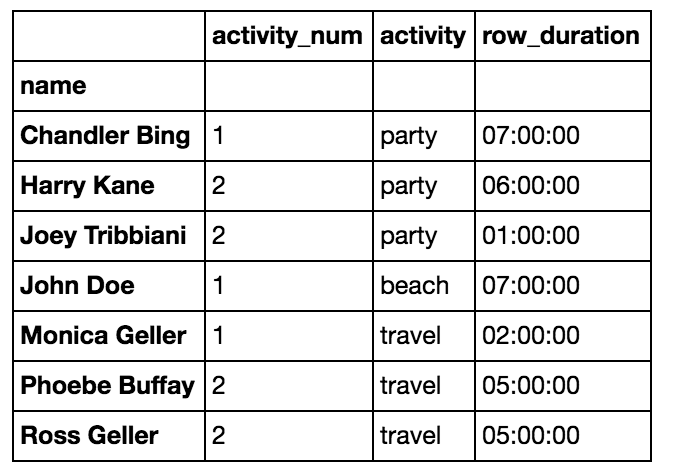
Source: adapted from the original article.